A till that sells and posts on your own machine, on real double-entry
books — not a revenue-minus-expenses summary — with inventory,
purchasing and receivables in the same database. Cloud gets added when
you need it: branches, an owner dashboard in your pocket, remote
control. Built for the Libyan market from the first line.
Windows appArabic-first22 modules90-day full trial
Works disconnectedThe database is on your machine. Selling never waits for a network.
Real accountingDouble entry, a general ledger, an editable chart of accounts.
Your data movesFrom Excel or your old system's database, in a five-step wizard.
Multi-branchEach branch runs alone; the centre sees them all in one place.
On your phoneA page you open from any handset — no download, no store.
Built around youA feature it doesn't have? It gets built into the same structure.
Proof, not adjectives
Numbers measured from the repository
Every figure here is measured from the code itself, and next to it what it
means for you — not what it means to an engineer.
0
lines of codeAcross 295 files. Not a bought template, and not a shell over a spreadsheet.
0
automated testsEvery defect that happened got a test that stops it returning. That is the difference between a system and an attempt.
0
database tablesItems, expiry batches, journal entries, treasuries, purchase orders — a structure, not files.
0
granular permissionsA cashier sells without seeing cost or voiding an invoice. 13 capabilities are bought; 61 permissions are granted.
One system
Every movement ends in the ledger
A sale reduces stock, moves cash, opens a receivable if it is on credit,
and posts an entry — in the same moment, inside one transaction that
either all succeeds or is all rolled back.
No export, no month-end reconciliation. The books are right now.
Not neighbouring programs trading files. One schema and one database, so
what is entered once is never entered twice, and what is corrected is
corrected everywhere.
The moment that matters
The internet went. Selling continues.
Look at the scene: the thread up to the cloud is cut — and the
core is still beating. Every sale is recorded in full on your
machine, posted in full to the books, and queues visibly.
A cloud system stops here. GATIO does not know anything happened.
The link returns
And what queued catches up by itself
No sync button, no step. What accumulated flushes upward, the owner
dashboard catches up, the branches align. The cloud is
added above the local system rather than replacing it —
which is why there is no day your shop stands still.
What is inside
Twenty-two modules, not four screens
This is not a wish list. Every module here is a screen that exists in the
app today, with its table in the database and its permission in the role matrix.
Selling
Point of sale
Barcode, search by name, line and invoice discounts, cash, card and credit, and instant printing.
Invoice history
Every invoice in full, with returns and voids — and a void reverses the entry rather than erasing it.
Quotations
A quote you print for the customer, with a validity date, converting to an invoice in one click — once, never twice.
Shifts
Open and close the shift, hand over the drawer, and attribute the counting difference to whoever counted.
Inventory & purchasing
Inventory
A full item card: cost, retail, wholesale, distributor, reorder point, and the item's movement line by line.
Units & conversions
A carton of 24, each with its own barcode and price. Sell either; stock counts them as one.
Expiry & batches
Batches with expiry dates, and a warning before your stock turns into a loss on the shelf.
Stocktake
Counting sessions, blind counts where the counter cannot see the system figure, and approval before stock is touched.
Purchases
A purchase invoice that brings in quantity and cost together, purchase returns, and supplier payments.
Purchase orders
Order from the supplier, then receive partially or in full — and the gap stays open in front of you.
Money & books
General ledger
A chart of accounts, a double entry for every movement, automatic posting from sales, purchases and expenses.
Manual journal
For what does not come from a movement: depreciation, adjustments, rent. With reversal instead of deletion.
Treasury
More than one box: the shop drawer, the bank account, a wallet. Transfers between them, and a movement log for each.
Customers & receivables
A statement per customer, debt ageing, and payments tied to the invoices they settled.
Price lists
A different price per customer tier, plus discounts and promotions with start and end dates.
Opening balances
Start from where you are, not from zero: your debts and stock come in against an opening-balances account.
Reading & control
Dashboard
Today's and the month's sales, a seven-day curve, payment methods, best sellers, and your largest debtors.
Reports
Sales, profit, inventory, tax, and cashier performance — read on screen and exported to Excel.
Roles & permissions
A matrix of 61 permissions over roles you define. The dangerous ones are coloured so they are not granted by accident.
Audit log
Who did what and when: voided an invoice, changed a permission, opened the drawer. Written, never edited.
Print studio
Design your own receipt with a live preview: your logo, your tax number, your returns-policy line.
Backup
An automatic encrypted backup, a full restore, and an export of all your data to Excel whenever you want.
And every module has its permissions: what your employee may not open does not appear to them at all.
The screen a cashier spends the day in
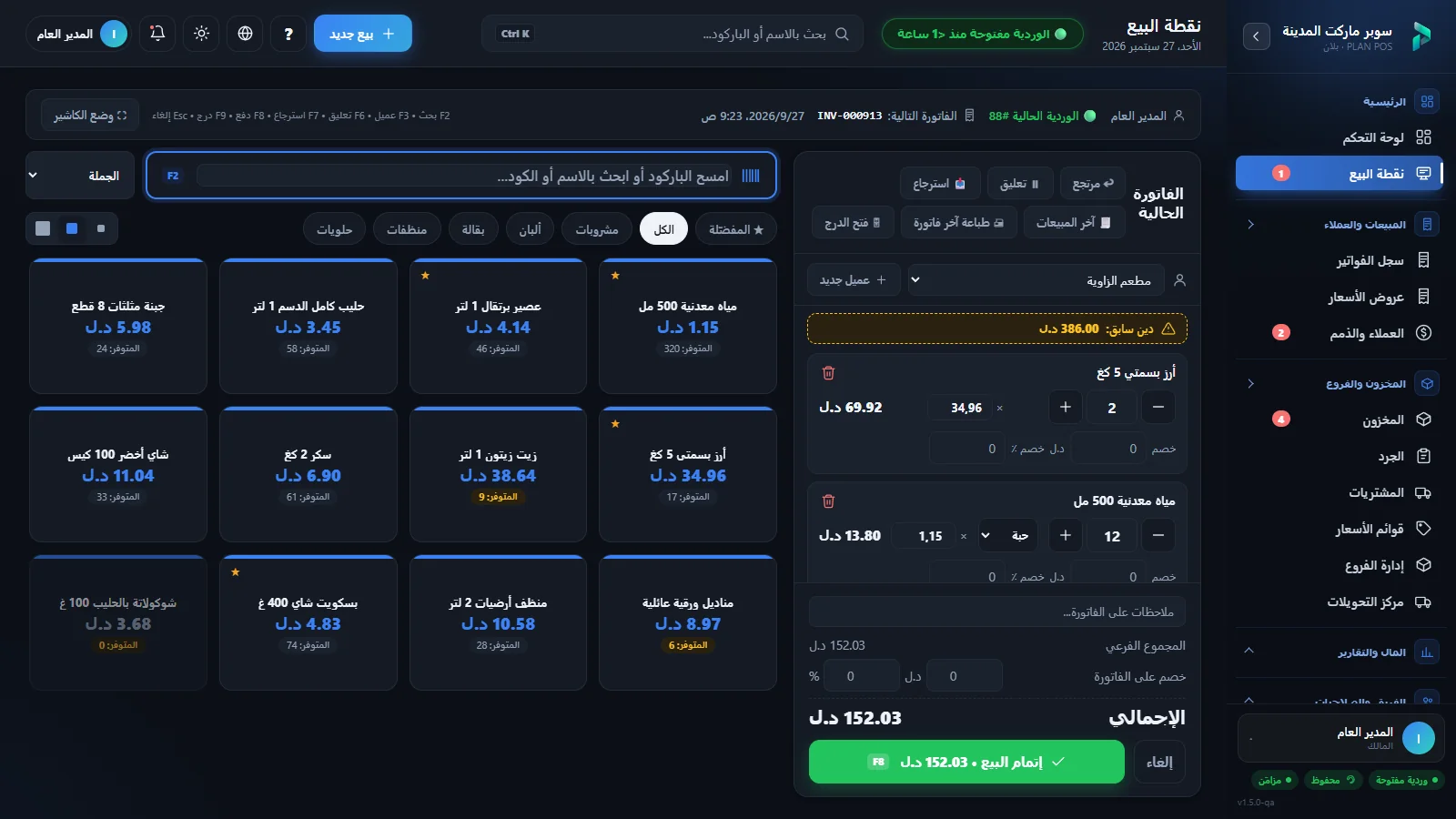
Everything in one place: scanning, search, discount, payment, printing.
No window opening on top of a window, and no step that needs a mouse if
you are faster on the keyboard.
GATIO POS — Point of sale
MAINDashboardPoint of saleInvoicesMANAGEInventoryCustomersPurchasesAccountingReports
Scan a barcode or search by name…New sale
Water 1.5L1.50240 in stock
Olive oil 1L25.0038 in stock
Sugar 1kg4.25112 in stock
Green tea7.0064 in stock
Rice 5kg19.506 left
Long-life milk2.80180 in stock
Current invoice3 items
Water 1.5L9.00
6 × 1.50
Olive oil 1L25.00
1 × 25.00
Rice 5kg39.00
2 × 19.50
Invoice discount−3.00
Total70.00
Complete sale · Cash
The selling screen: barcode, items by tap, an invoice that adds up as you type. Demo figures.
Scan the carton's barcode or the unit's✓
Sell by weight for weighed items✓
Hold an invoice and come back to it✓
Split payment: cash, card, rest on credit✓
Print immediately, or ask first✓
A low-stock warning on the card itself✓
And the first thing you open in the morning
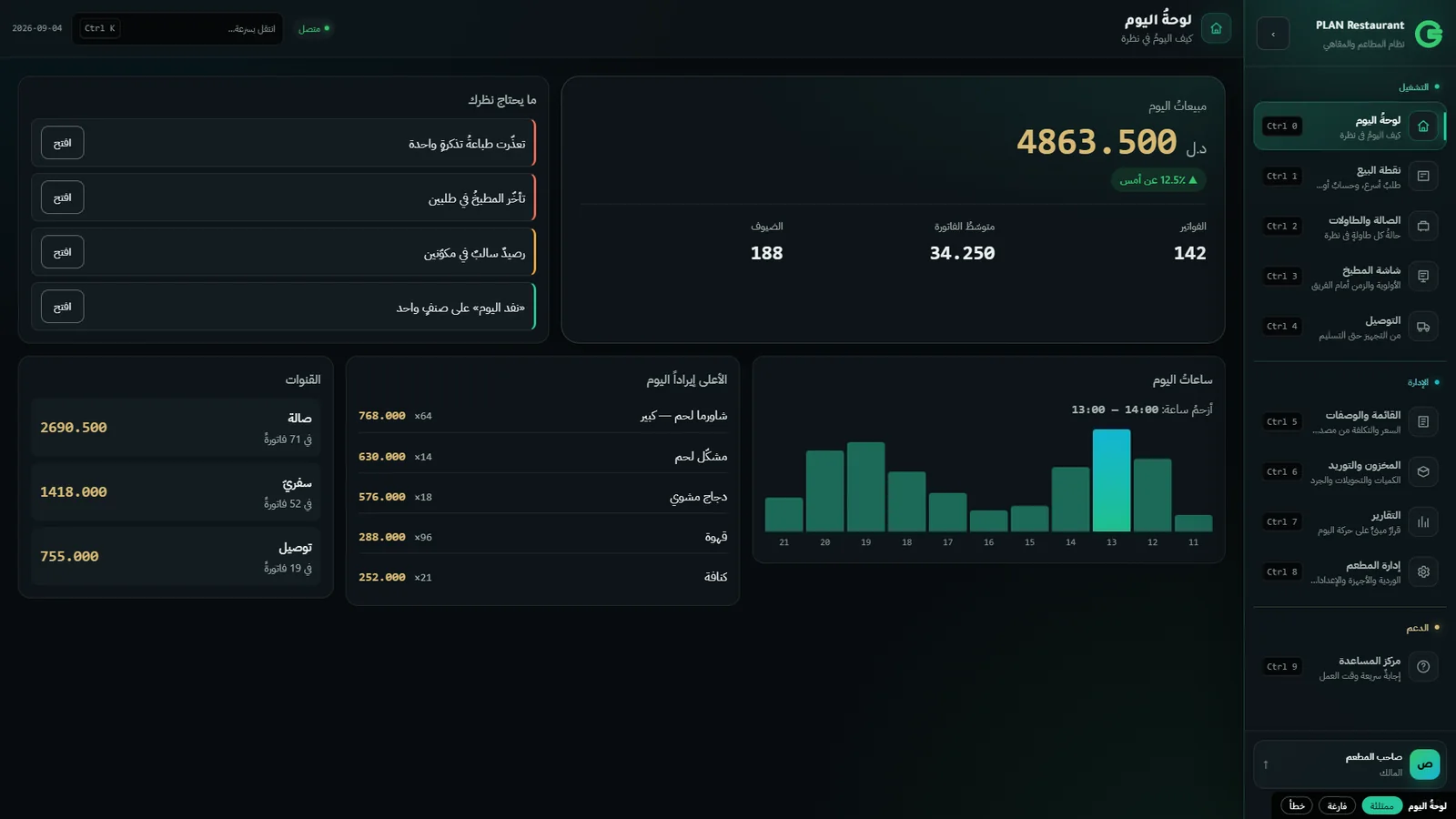
The dashboard does not show everything — it shows what a decision gets
made on: what you sold, what you made, what is close to running out, and
who is late paying.
A seven-day curve, not just today's figure✓
Payment methods: how much cash, how much on credit✓
Best sellers and your largest debtors✓
An alert for anything below its reorder point✓
GATIO POS — Dashboard
MAINDashboardPoint of saleInvoicesMANAGEInventoryCustomersPurchasesAccountingReports
Sales today18,420+12% vs yesterday
Profit today4,91526.7% margin
Receivables31,2704 overdue
Sales curve — last 7 days
Daily salesAverage 15,340
Items near reorder point12
Invoices today64
Average invoice287.80
Figures from a demo shop — the same screen that ships.
The hardest step, already solved
Your old data comes with you
The first reason a merchant stays on a system they hate is the fear of
losing years of items, customers and debts. GATIO ships with a data
migration wizard built in — not a service you buy, and not a week of
manual entry.
Excel (.xlsx / .xls) and CSV✓
An SQLite database straight out of your old system✓
Access and SQL Server — export to Excel, then import✓
A ready template to fill in if you have no file✓
An automatic backup taken before the import✓
Undo in one click — the data returns as it was✓
Balances carry over as opening debts into the general ledger, against an
«opening balances 3200» account — so nothing you never
sold is counted as a sale.
GATIO POS — Migration wizard · step 3 of 5
item_name←Name (Arabic)
sell_price←Retail price
qty_on_hand←Quantity
barcode←Barcode
1,847new
63duplicate
9error
Smart mapping: it recognises your columns and matches them to system fields —
and you adjust whatever you like before a single row is written.
01Source
Choose what to import — items, customers, suppliers, balances — and drop your file in.
02Sheet
It reads your file and lists its sheets and tables with the row count of each.
03Smart mapping
It recognises your columns automatically and matches them to system fields. You adjust what you like.
04Preview
Before anything is written: how many rows are new, how many duplicate, and how many have an error and why.
05Report
What was added, updated and rejected. Rejected rows download as a file you correct and re-import.
Exporting your data is just as easy, always — for your accountant, your
archive, or to take it elsewhere. Anyone who locks your data in does not
trust their own product.
On your phone
Your shop in your pocket — no app store, no download
A link you open from any phone — Android or iPhone — and your shop is in
front of you. No update to wait for, no storage taken, no store approval.
Add it to the home screen and it behaves like an app.
What you see in it
Today's and this week's sales, moment by moment✓
Profit and margin, not revenue alone✓
Cashier performance, and who opened the drawer and when✓
What ran out, what is close, and your inventory value✓
Incoming payments and treasury movement✓
The latest journal entries, and what needs your attention✓
Each branch on its own, and their total✓
An alert when a branch stops reporting✓
You also link a device in one tap, change your password, and pick the
screen that opens first — from the phone itself. It needs the cloud
subscription; without it everything above stays inside the shop.
Why a page and not a store app?
Because an app means a build waiting for approval, an old version stuck
on your employee's phone, and storage on yours. A page updates on our
side and reaches you in the same moment, runs on any device with a
browser, and asks nothing of you.
And it is not a shrunken website: it was designed phone-first — large
figures you read at a glance, tabs reachable with a thumb, and it works
on a weak connection because it loads data, not pictures.
Al-Noor Markets — Main branch
18,420
Sales today
Figures from a demo shop — the same screen that ships in the product.
More than one shop
Each branch runs alone, and the centre sees them all
A branch does not depend on the centre to sell. It has its own database,
prices and staff, and it keeps working even if the world disconnects from
it. The centre sees the total and each one, on a single page.
Sales and profit per branch✓
Branches compared on one screen✓
Prices and price lists per branch✓
Staff permissions scoped to their branch✓
An alert when a branch falls behind on uploading✓
And when a branch disconnects it loses nothing: what it sold accumulates
locally, then reaches the centre in the right order — newest wins, not
last to arrive.
The books
What separates a system from a program that records
Most of what is sold as "accounting" adds up revenue, subtracts expenses and
calls the result a balance sheet. That holds until an accountant asks for a
supplier statement, or the tax office asks for a ledger.
Double entry on every movement — debit equals credit or it does not post✓
An editable chart of accounts✓
Automatic posting from sales, purchases, expenses and payments✓
Period locking and year-end close✓
Receivables ageing — owed to you and by you✓
Reversal instead of deletion — the trace remains✓
Cost of goods sold computed on the line✓
GATIO POS — General ledger
MAINDashboardPoint of saleInvoicesMANAGEInventoryCustomersPurchasesAccountingReports
4000 — Sales−18,420.00
1010 — Cash+13,080.00
1100 — Receivables+5,340.00
5000 — Cost of sales+13,505.00
1200 — Inventory−13,505.00
Balance0.00
One sale, posted automatically. Debit equals credit or it does not post.
And why does this matter if you are not an accountant?
Because the question always comes at the worst time: your accountant wants
a supplier statement two days before closing, or the tax office wants a
ledger, or your partner asks about real profit — after cost of goods, not
before.
At that moment the book either exists, or you spend a week rebuilding it
from invoices in a drawer. The difference is not the software. It is the
day you chose.
Predefined accounts, ready to work19
Manual postings you must make in daily selling0
Restaurant economics differ
You do not sell a sandwich. You sell lettuce, cheese, bread, gas and time.
A retail shop knows its cost from the purchase invoice. A restaurant's cost is
computed — and whoever does not compute it sells at a loss while believing
they are profitable.
01
Ingredients
—
Bread · cheese · lettuce · tomato · oil — each at its purchase price and unit.
02
Recipe
5 items
How much of each goes into one plate. Written once.
03
Cost
4.20
Computed from today's prices. Cheese goes up? It rises by itself.
04
Selling price
7.00
You set it, and the system tells you what it means.
05
Margin
40%
Per item, so you know which plate feeds you and which eats you.
06
Stock & ledger
automatic
A sandwich sells? Bread, cheese and lettuce come off stock and the entry posts.
Table and order number
Built into the invoice today — an order opens on a table and closes on it.
Kitchen printing
Separate print templates from the same print studio.
Recipes and plate cost
In development — request it with your package, delivered in an update.
Figures above are illustrative, not results from a real shop.
Paper and hardware
You design the receipt that comes out of your printer
Most systems hand you one receipt that never changes. Here there is a
print studio with a live preview: move, hide, add, and see the result
before a single sheet is printed.
80mm thermal and A4 paper✓
Your logo, your tax number, and a returns-policy line✓
The invoice number as a barcode on the receipt✓
Templates you save, import, and move between machines✓
Cash drawer kick, with a test button✓
Barcode scanner test before the working day, not during it✓
Printing after a sale: automatic, or ask first✓
Decimal places, side margin and compact spacing are all settings — not a support ticket.
Under the hood
What protects your data, and what we cannot reach
We say exactly what we do and where its limit is. We do not say "unhackable".
Activation bound to the machine's fingerprintECDSA P-256
Turning the clock back does not extend a licence✓
Backups encryptedAES-256-GCM
Every financial movement atomic — all of it or noneTransaction
An audit log written, never edited, never deleted✓
Our support panel cannot read a shop's booksenforced by the database
Owner password recovery by signed challenge✓
The last line is not a promise from us: the database privileges themselves
do not let the support panel read your books, and an automated test fails
if that constraint is ever weakened.
What it does not have yet
Need something that is not in the product? It gets built.
Every trade has a detail unlike any other: a way of pricing, a report in a
particular shape, a link to a device you own, or a procedure you are used
to and do not want to give up.
Off-the-shelf systems answer "not supported". We write the product itself,
so the addition goes into the structure rather than being stuck on top of
it: it gets its table, its permission, its sync and its test — and it
reaches you in an update like every other module, not as a side file that
breaks on the first upgrade.
Describe what you want, and we tell you honestly if it is worth itfree
A written offer: scope, duration, pricebefore we start
Custom developmentpaid
And if the feature helps others, it enters the product for everyonecheaper for you
We also do not build what we think will hurt you. Saying "this will not
help you" is cheaper for you than taking the money and letting you find out.
Most shops need the first one alone. The rest is added the day it starts to
mean something — not before.
Core
The till
A Windows app on the shop's machine. Selling, inventory, accounting, reports. Works disconnected, forever.
Optional
Cloud
Sync that lifts what is in the shop. Unlocks branches, the owner dashboard, and backup off the machine.
With cloud
Owner dashboard
A page on your phone showing the shop while you are outside it. For the owner, not the staff.
Ours
Support panel
How we see your system's health to help before you call. It cannot reach your books — a limit the database enforces, not a promise we make.
Built from nothing
It did not start in the cloud and then discover disconnection
Most systems are built cloud-first, then have an "offline mode" bolted on
that does not work. GATIO started from the other end: a complete local
till, with the cloud rising above it afterwards.
Which is why nothing in it "needs the internet to work". The internet adds; it never conditions.
2026-07
The till and the books
Point of sale, inventory and double entry on local SQLite.
2026-08
Depth
Purchases, purchase orders, stocktakes, treasury, price lists, roles and permissions.
2026-08
Data migration
A five-step wizard moving items, customers, suppliers and balances.
2026-08
Licensing
Device-bound activation by digital signature, resistant to clock tampering.
2026-08
Cloud and owner dashboard
Multi-tenant sync, and an owner page on the phone.
2026-08
Support panel and packages
Fleet, licences, releases, monitoring — and packages defined by what was actually bought.
Not one size
Three kinds of trade, three different questions
Retail shops
The question: did I sell more than yesterday, and what ran out?
Barcode selling and keyboard speed✓
Shifts and till handover✓
Customer debt and statements✓
A reorder alert before you run out✓
Wholesale
The question: what price did I quote this customer, and who owes what?
Quotations that print and convert to invoices✓
Price lists per customer tier✓
Receivables ageing in four buckets✓
Carton and unit at two prices and two barcodes✓
Restaurants & cafés
The question: what does this sandwich actually cost me?
Table number and order number✓
Kitchen print templates✓
Ingredient expiry and batches✓
A recipe per product and plate costin development
What protects you here
We do not ask for blind trust — everything we claim can be checked
Run the system for ninety days, every feature, on real selling in your
shop. We take nothing before that, and your data leaves with you as Excel
whenever you want. The risk sits with us; you judge once you have seen it.
Ninety days, every feature
No crippled build. You run your shop on it for real, and decide from knowledge rather than a promise.
We install it in your shop ourselves
We come, migrate your old data, enter your first items with you, and train whoever will use it.
Your data leaves with you
A full Excel export at any moment. Anyone who locks your data in does not trust their own product.
811 automated tests
Every defect that happened got a test that stops it returning. A pre-release audit found two fatal holes and closed them before the build shipped.
Arabic support, from the person who built it
No call centre and no ticket #4188. You talk to whoever built the system, not a script reader.
No lock-in, no forced subscription
The licence on your machine works offline forever. Cloud is optional and cancellable.
«I built GATIO because a shop in Tripoli lost a full day of selling when
the internet dropped out from under its cloud system. I did not want to sell
a promise — I wanted to build something that works on the day nothing else does.»
Mohammed Benghait · maker of GATIO
Packages
Three. And the question is not "how many features" but "what kind of trade"
Do not pay for accounting you will never open, and do not lose it because it
only exists in the most expensive tier.
90full days
Limited offer · ending soon
Use every feature, ninety days, before you pay a dinar
Not a cut-down build and not a "trial" that hides half the screens:
accounting, purchasing, permissions, the audit log and migrating your
old data all work from day one. And if it doesn't convince you, your
data leaves with you as Excel — it is not held hostage here.
Included at no cost:installation·data migration·staff training
Sync, owner dashboard and off-machine backup. Yearly subscription.
+ Extra branch
Central reports and branch comparison. Requires cloud.
+ Extra device
A second till in the same branch.
+ Custom feature
Built for you, with a written offer first. Details
Prices are given in the quote, once we know your kind of trade and how many
devices you run — the right package is cheaper than the biggest one.
Ready to put your trade in order?
We install it in your shop, bring your old data over with you, enter your
first items with you — then you run it
for ninety days with every feature on real selling before you pay anything.